How to Use Case Converter — A Complete Guide
<h1>How to Use Case Converter — A Complete Guide</h1> <p>Imagine this: Your API is failing because a teammate sent a JSON payload with UPPERCASE keys. You n...
Imagine this: Your API is failing because a teammate sent a JSON payload with UPPERCASE keys. You need to convert “HELLO_WORLD” to “hello_world” fast, without rewriting files. That’s when the Case Converter becomes your lifeline.
What Is a Case Converter?
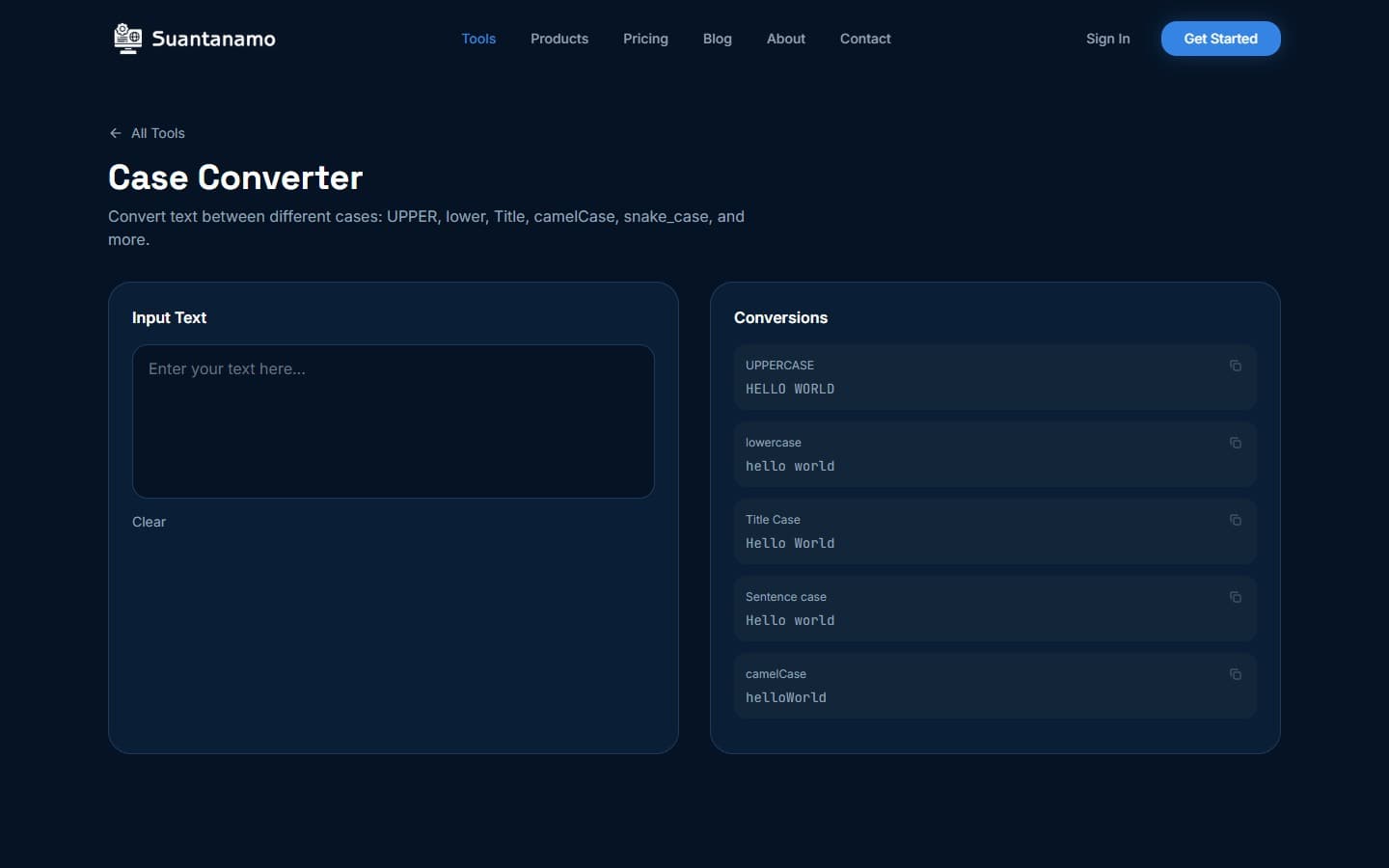
A case converter transforms text between casing formats. It’s not just for developers — anyone dealing with inconsistent text can use it. The Case Converter supports 9+ formats, including camel Case, snake_case, and Title Case. Everything happens in your browser, no server-side processing required.
For example, converting “hello_world” to “hello World” takes milliseconds. No upload needed. Your data stays on your device — that’s the privacy-first promise of browser-based tools.
How the Case Converter Works
Use it like this: Paste text, pick a format, click “Convert.” But there’s more to it. Here’s how it works:
- Input Text: Paste any text — code, prose, or a spreadsheet column. The tool doesn’t care.
- Format Selection: Choose from 9+ options. Need to convert multiple formats? Chain conversions in one go.
- Output: Results appear instantly. Copy, download, or use directly in your workflow.
Convert “HELLO WORLD” to Title Case and get “Hello World.” If you’re working with JSON, “HELLO_WORLD” becomes “hello_world,” perfect for API payloads.
Supported Case Formats
The Case Converter handles more than basic conversions. Here’s what it supports:
- camel Case: “hello World”
- snake_case: “hello_world”
- UPPERCASE: “HELLO WORLD”
- lowercase: “hello world”
- Title Case: “Hello World”
- kebab-case: “hello-world”
- constant Case: “HELLO_WORLD”
- Header Case: “Hello World”
Chain conversions: Take “hello World,” convert to snake_case (“hello_world”), then to kebab-case (“hello-world”), and finally to Title Case (“Hello-World”).
Real-World Use Cases
Scenario 1: API Integration
You’re integrating with an API that expects snake_case keys. Paste “username” into the tool and get “user_name” in seconds. No manual renaming needed.
Scenario 2: Data Normalization
Clean up a dataset with inconsistent casing. Standardize “HELLO WORLD,” “hello world,” or “Hello World” to Title Case or lowercase for easier analysis.
These examples show how the Case Converter saves time and reduces errors in real workflows.
Why Browser-Based Processing Matters
Processing happens entirely in your browser. No data leaves your device — critical for privacy. If you’re handling sensitive data, like customer info or code, this matters. No internet required either. The tool works offline, just like Compress PDF or Compress Images.
Tips for Using the Case Converter
- Use for Consistent Naming: Enforce naming conventions in code. The tool helps maintain consistency.
- Chain Conversions: Convert text through multiple formats without manual steps.
- Check Edge Cases: Title Case can be ambiguous. Always verify output for accuracy.
- Combine with Other Tools: After converting text, compress images or PDFs using Compress Images or Compress PDF.
These tips ensure you’re optimizing workflows, not just converting text.
Other SeaTools You Might Find Useful
- Compress PDF: Reduce file size by up to 80% without quality loss.
- Merge PDF: Combine files by dragging and dropping pages.
- Compress Images: Cut image size by 60-80% while keeping visuals sharp.
These tools complement the Case Converter by solving common file management and data processing issues. They all prioritize privacy, keeping your work secure.
Ultimately, the Case Converter is a small but powerful tool. Use it to reclaim control over text formatting — whether you’re debugging code, preparing data, or standardizing formats. Save hours of manual work with it.
--- *This article was written with AI assistance and reviewed by our team.*